Master how to clean the background from images using AI tools, manual techniques, and professional workflows for web and print projects.

Professional image editing demands precision, especially when you need to clean the background from product photos, portraits, or marketing materials. Whether you're preparing visuals for e-commerce platforms, creating print catalogs, or optimizing website imagery, the ability to remove unwanted backgrounds transforms ordinary photos into polished, professional assets. Modern workflows combine artificial intelligence, traditional editing techniques, and automated platforms to deliver consistent results across thousands of images while maintaining the quality standards required for both digital and print media.
When you clean the background from an image, you're performing a segmentation task that separates foreground subjects from their surrounding environment. This process requires sophisticated edge detection, particularly around complex elements like hair, transparent objects, or intricate product details.
The technical foundation involves alpha matting, which creates a transparency channel defining which pixels belong to the subject and which form the background. Professional workflows use alpha channels with 256 levels of transparency, allowing smooth transitions at edges rather than harsh cutouts.
Three critical elements determine the quality of your final result:
Modern approaches leverage deep learning models trained on millions of labeled images. Research like the Deep Image Matting paper demonstrates how neural networks learn to predict accurate alpha mattes even in challenging scenarios with complex backgrounds.
Different projects demand different approaches. E-commerce businesses processing hundreds of product photos daily require automated solutions, while high-end fashion photography might need pixel-perfect manual retouching.
Artificial intelligence platforms have revolutionized how businesses clean the background from bulk imagery. These systems analyze image content, identify subject boundaries, and generate clean cutouts in seconds.
The rembg open-source tool exemplifies this approach, using U^2-Net and similar models for programmatic background removal. Developers integrate these libraries into production workflows, automatically processing uploads without human intervention.
For enterprise needs, removit offers European-based AI processing that handles both web and print specifications. The platform maintains consistent quality across batch operations while supporting various export formats required for different sales channels.

| Method | Speed | Precision | Best For |
|---|---|---|---|
| AI Automation | 1-3 seconds | 92-98% | Product catalogs, bulk processing |
| Manual Editing | 5-30 minutes | 99-100% | Complex subjects, fine art |
| Hybrid Workflow | 30-90 seconds | 96-99% | Quality-critical commercial work |
When you need to clean the background with exceptional precision, manual tools in professional editing software provide granular control. Path tools create vector-based selections that can be refined infinitely without quality loss.
Experienced retouchers use layer masking to non-destructively separate subjects from backgrounds. This approach preserves original image data, allowing adjustments without permanent changes. For hair and fur, channel-based selections exploit natural contrast differences between subject and background.
The AlphaMatting benchmark provides standardized evaluation of different techniques, helping professionals compare algorithmic approaches and manual methods objectively.
The ability to clean the background impacts more than aesthetics. It directly affects usability and accessibility for diverse audiences.
The W3C's guidance on distinguishable content emphasizes how foreground-background separation improves readability for users with visual impairments. Clean backgrounds ensure:
When preparing marketing materials or instructional content, clean backgrounds help users with low vision distinguish important visual information from decorative elements.
Non-technical teams frequently need to clean the background from images for presentations or documents. Microsoft Office's built-in tools provide accessible options for casual users.
These simplified interfaces demonstrate how background removal has become democratized, though professional workflows still require more sophisticated solutions for production-quality output.
Organizations implement background cleaning differently based on their specific operational requirements and quality standards.
Online retailers process thousands of SKU images monthly. Consistency matters as much as quality, since customers compare products displayed with identical white or transparent backgrounds.
Automated workflows connect directly to product information management systems. When new inventory arrives, photography teams capture images against simple backgrounds, then automated systems clean the background and apply consistent shadows or reflections.
The removit platform streamlines this process by accepting bulk uploads, applying preset configurations, and exporting images in multiple resolutions for different platforms simultaneously.
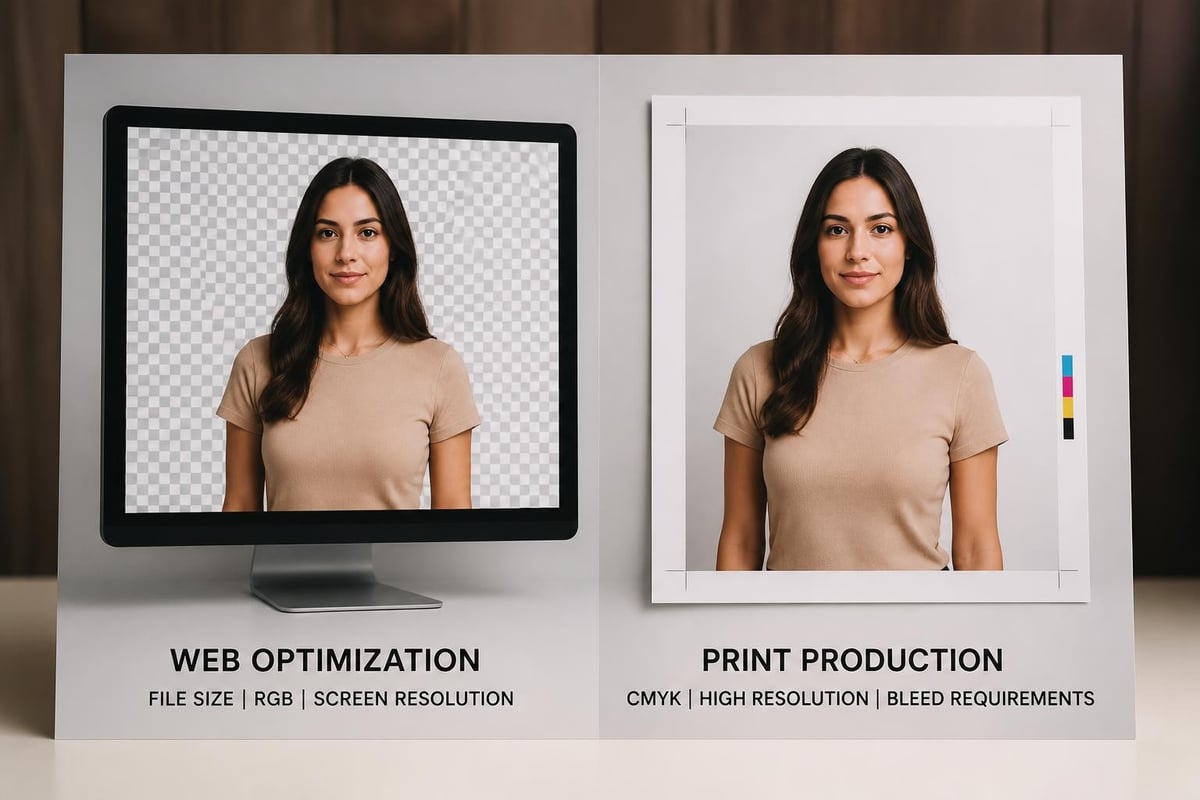
Print media demands higher resolution and color accuracy than web imagery. When you clean the background for magazine ads or product catalogs, CMYK color space management and print-specific resolution requirements add complexity.
Workflows must account for:
Professional services handle these technical requirements automatically, ensuring images meet printer specifications without manual intervention for each file.
Social platforms each have different specifications, aspect ratios, and display contexts. When you clean the background for social media, you're preparing assets that might appear on Instagram feeds, Facebook ads, Pinterest pins, and Twitter posts.
This requires:
Organizations using removit's API automate this multi-variant creation, generating all required versions from a single source image.
The field continues evolving with new research improving accuracy, speed, and capability to handle previously difficult scenarios.
Recent research such as PolarMatte explores using polarization data to extract ground-truth-quality alpha mattes. This approach excels with reflective and transparent materials where traditional methods struggle.
While not yet mainstream in commercial workflows, these techniques indicate future directions for handling glass products, liquids, and other challenging subjects when you need to clean the background with exceptional accuracy.
Mobile applications increasingly incorporate background removal capabilities. Google MediaPipe's image segmentation enables on-device processing for real-time applications like video calls or augmented reality experiences.
These lightweight models sacrifice some accuracy for speed, making them suitable for consumer applications but less appropriate for production imagery requiring pixel-perfect precision.
Professional workflows implement systematic quality checks to ensure consistency across large image sets.
Algorithmic validation detects common issues:
Advanced platforms flag images requiring manual review, routing them to human retouchers while automatically approving clean results.
Even with sophisticated AI, certain images benefit from expert review. Complex products, intricate details, or brand-critical imagery warrant additional quality assurance.
Hybrid workflows combine automated processing with selective human oversight:
This approach maximizes efficiency while maintaining quality standards. The removit professional service offers this hybrid model with expert retouchers handling complex cases.
Background removal rarely exists in isolation. It's one step in comprehensive image processing pipelines that prepare visuals for various distribution channels.
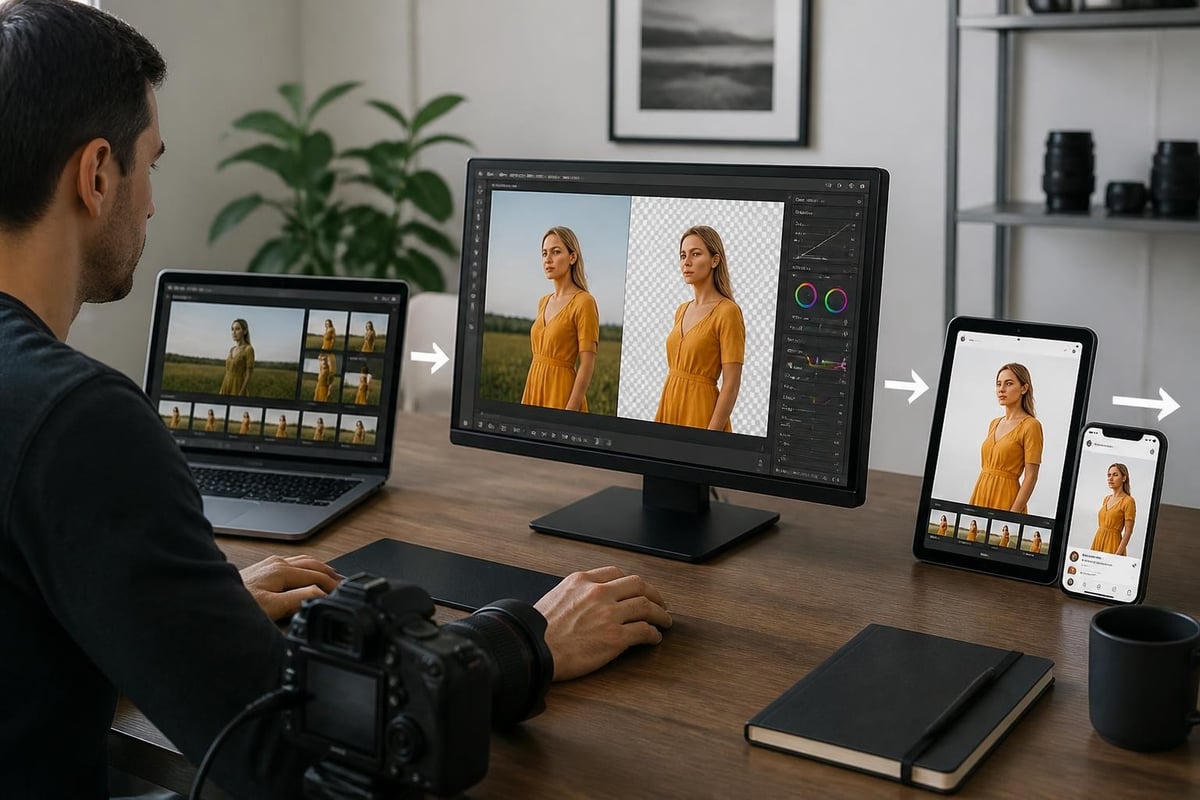
Modern platforms connect multiple processing steps:
| Stage | Process | Output |
|---|---|---|
| Import | Image upload and metadata capture | Raw files with context |
| Processing | Clean the background, color correct, resize | Optimized master files |
| Export | Format conversion, channel-specific optimization | Distribution-ready assets |
Organizations implement these pipelines using API-based platforms that accept images from any source, apply predetermined processing rules, and deliver results to designated destinations.
When you clean the background across product lines or marketing campaigns, maintaining visual consistency strengthens brand identity. Automated systems apply identical processing parameters to all images in a category, ensuring uniform appearance.
This consistency extends beyond just background removal to include:
The removit API documentation demonstrates how to configure these parameters programmatically for repeatable results.
Organizations must balance quality requirements against processing costs and resource allocation.
Not every image requires maximum quality. Strategic allocation of resources optimizes both cost and workflow efficiency:
High-priority processing for hero images, campaign visuals, and brand-critical content justifies expert retouching and premium quality standards.
Standard automated processing handles bulk product imagery where consistency and speed matter more than perfection.
Basic cleanup suffices for internal use imagery, temporary content, or draft materials.
Processing costs decrease with volume. Organizations handling thousands of images monthly benefit from:
Platforms offering referral programs help businesses reduce processing expenses through partnership incentives.
Successful deployment requires planning beyond just selecting tools.
The quality of input images dramatically affects how effectively you can clean the background. Optimal source images feature:
Photography teams save significant processing time by capturing images with background removal in mind, using seamless backdrops and appropriate lighting setups.
Before committing to production processing of large image sets, organizations should:
The removit FAQ addresses common questions about configuration options and quality expectations.
As image volumes grow, infrastructure must scale appropriately. Cloud-based platforms provide elastic capacity, processing hundreds of images simultaneously during peak periods without requiring dedicated hardware investments.
Organizations should consider:
European businesses particularly benefit from platforms like removit that maintain European data processing compliance for regulated industries.
Technology alone doesn't guarantee success. Teams need appropriate training to maximize workflow efficiency.
Photography teams benefit from understanding how background removal algorithms work. Training topics include:
Image editors working with cleaned backgrounds need proficiency in:
Marketing teams, product managers, and other stakeholders should understand realistic quality expectations and turnaround times for different processing levels. Clear communication prevents unrealistic demands and helps allocate appropriate resources to priority projects.
Mastering how to clean the background transforms raw photography into professional assets ready for any marketing channel or sales platform. By combining AI automation, strategic manual refinement, and integrated workflows, organizations achieve the speed and consistency modern commerce demands while maintaining the quality that builds customer trust. Whether you're processing a handful of images or managing enterprise-scale workflows with thousands of SKUs, removit provides European-based AI processing with professional retouching services, helping businesses streamline their image workflows while reducing processing costs through automated optimization and flexible pricing models.
